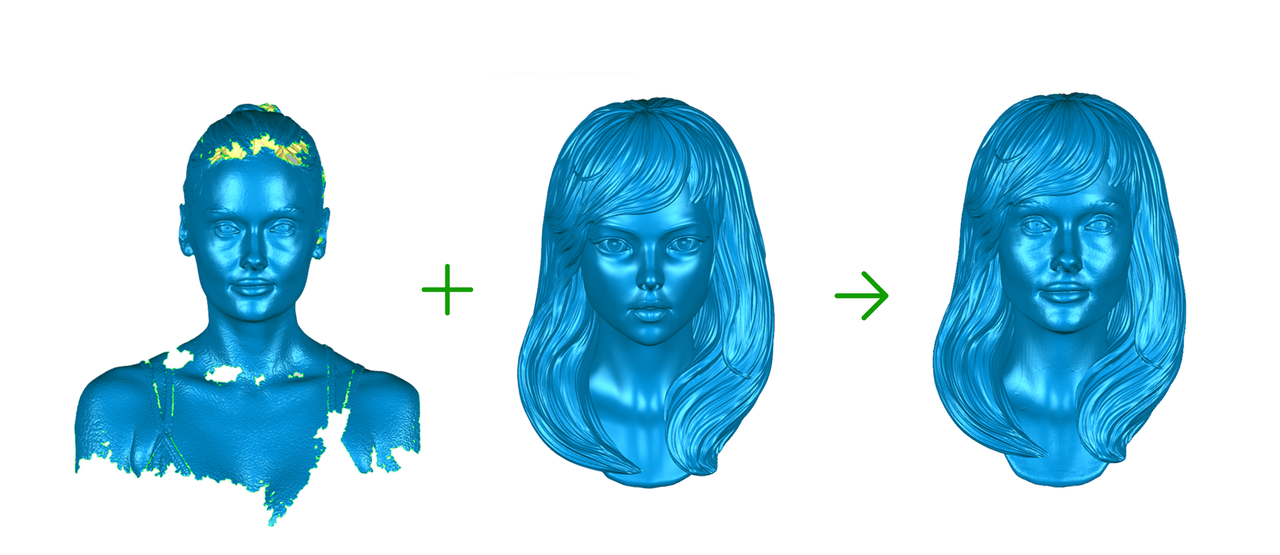
CrealityScan supports the Head AI Repair function. The software provides reference models for you to use.
¶ Step-by-Step Instructions
-
First, select Infrared Mode ->Face Scan or Body Scan to complete the scan.
.png)
-
After point cloud fusion and meshing are completed, click Mesh Processing → Head AI Repair.
.png)
-
Select a reference model from the left panel, then click the Download button at the lower‑right corner of the model. Wait for the download to finish, then click Preview.
.png)
-
Wait for the software to complete the head repair process, then click Apply.
.png)