Meshing is the process of connecting discrete point cloud data to form multiple triangles, thereby constructing a continuous mesh model.
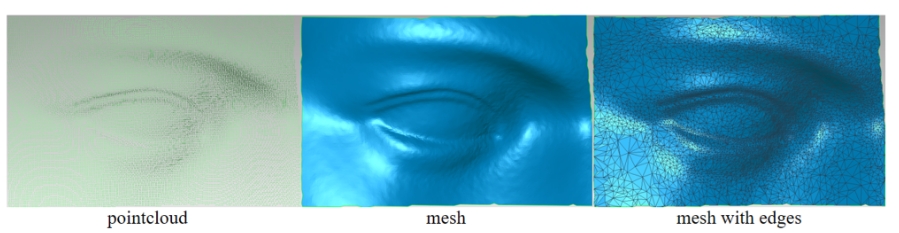
During the meshing process, you can manually configure the number of the triangles, adjust the mesh smoothness, set the percentage for removing isolated parts, and choose whether to remove spikes, fill holes, and make the model watertight.
- Triangles: The higher the triangles, the more detailed the model, but the longer the time required to generate the mesh.
- Mesh Smoothing: Makes the model smoother. The higher the level, the smoother the model.
- Boundary Smoothing: Smooths the boundaries between the model and holes. The higher the level, the smoother it becomes.
- Remove Isolated Parts: Removes isolated components from the model. Higher values remove more patches.
- Fill Small Holes: Fill incomplete mesh and closes hole areas.
- Watertight: Completely seals the scanned model, leaving no holes on its surface.
.png)