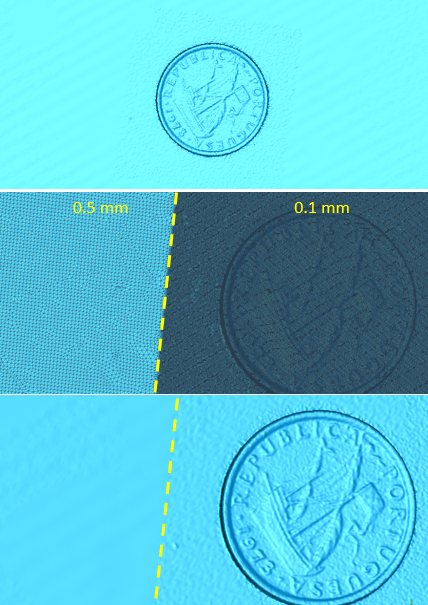
It is reasonable to use a larger resolution when scanning large objects (e.g., a car). But what if we still want good details?
You can use the software's Local Detail scanning function (available only in Blue Laser Mode) to scan specific areas and capture rich geometric details. The steps are as follows:
- First, perform a quick scan using a larger resolution (e.g., 1 mm).
- Pause the scan, switch to Local Detail Mode, and set a smaller resolution (e.g., 0.1 mm) for the area requiring fine details.
- Hold "Shift + Left Mouse Button" to select the area that needs to be scanned in detail, click Preview, and then start scanning.

Here is a case of a local detail scan. First, the entire target is scanned at a resolution of 0.5 mm, followed by a scan of the coin at a resolution of 0.1 mm. You can see from the image that the triangular mesh density varies across different areas.