The Simplify function reduces the number of Triangles in a model, thereby decreasing file size and improving the efficiency of subsequent processing and operations. However, note that Simplify function reduces the level of detail, making the model's shape and geometric structure more concise and prominent.
| Before Simplify | After Simplify |
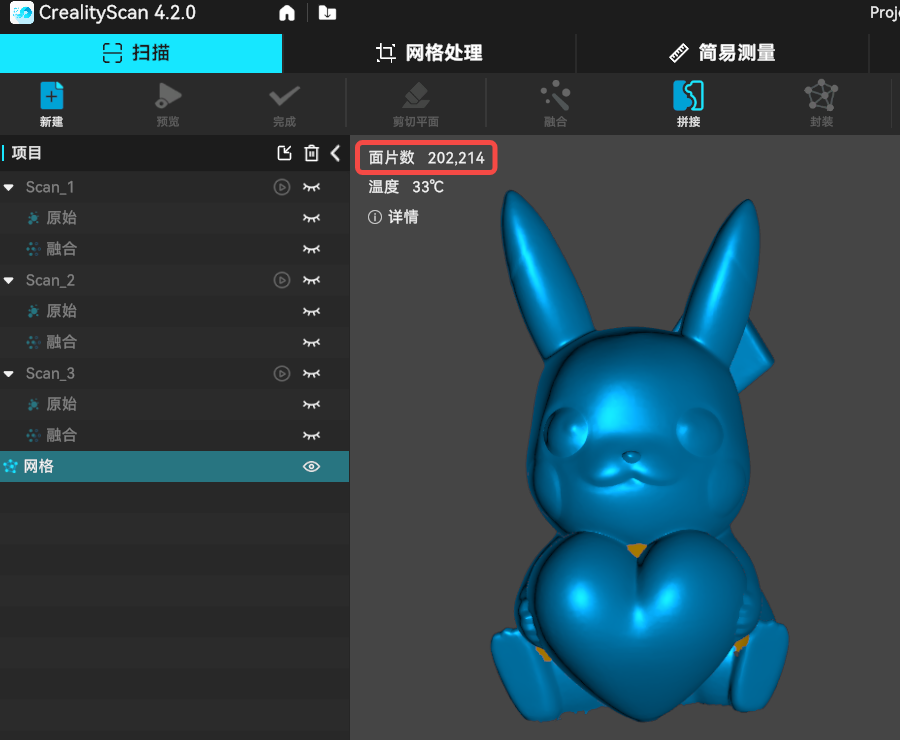 |
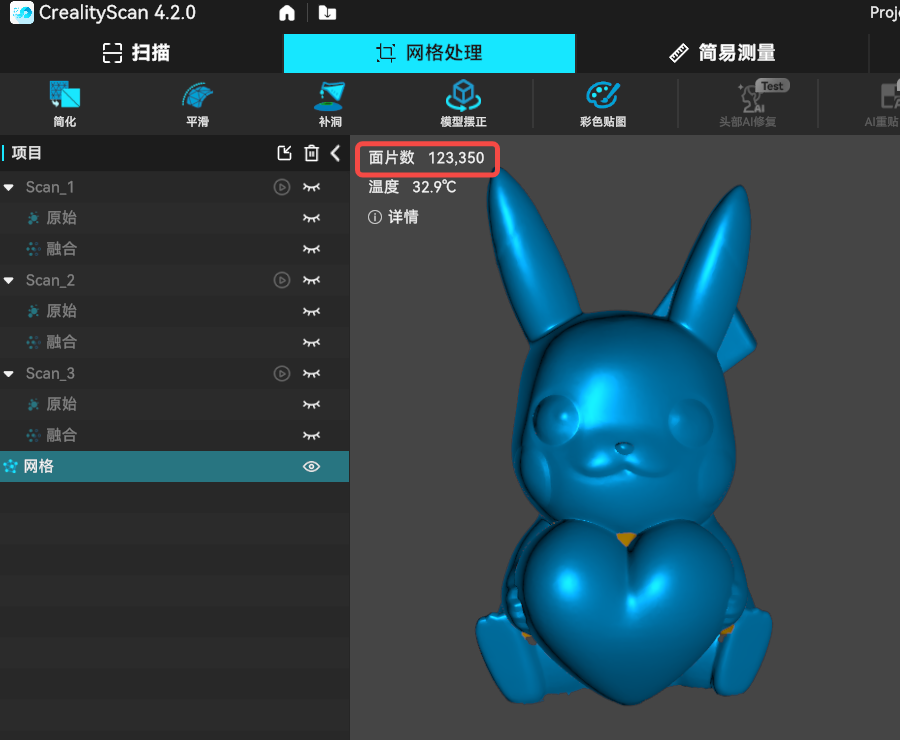 |
¶ Step-by-Step Instructions
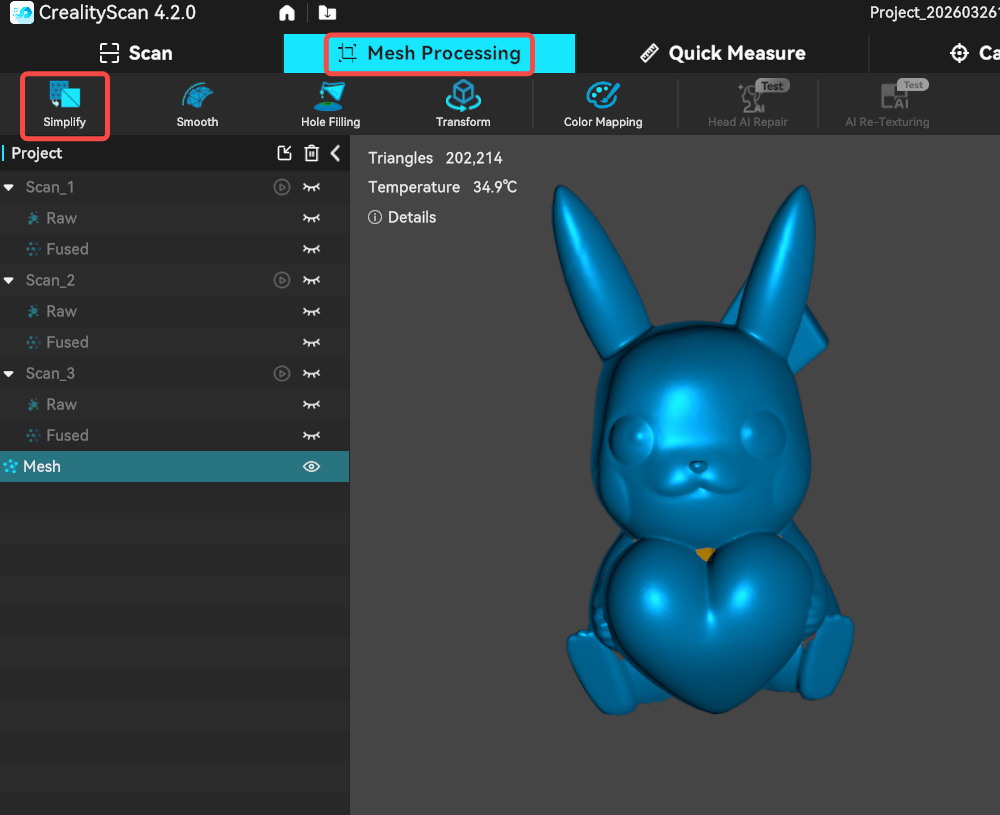
Select a meshed model, then click Mesh Processing → Simplify.
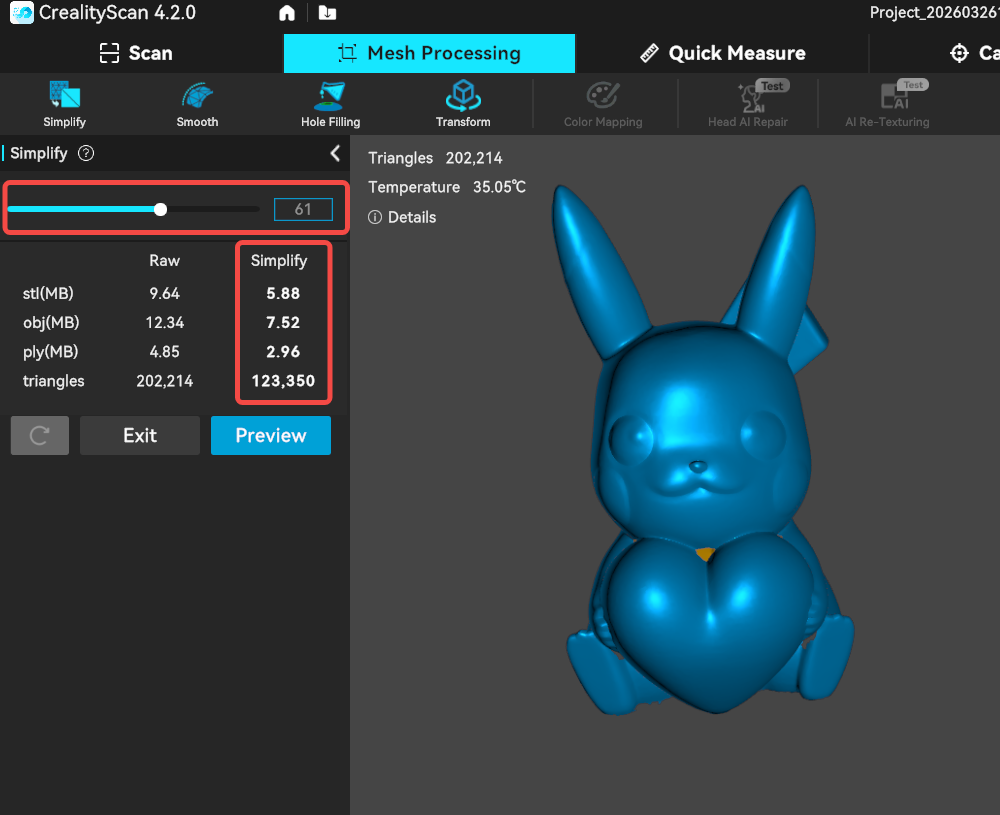
In the left side window, adjust the simplify percentage (0–99) by dragging the slider or entering a value manually. The resulting data size will change accordingly. Click Preview to simulate the simplification effect. If the result is satisfactory, click Apply.
If the simplification does not meet expectations, click the Reset button to restore the default state, then adjust the percentage again.